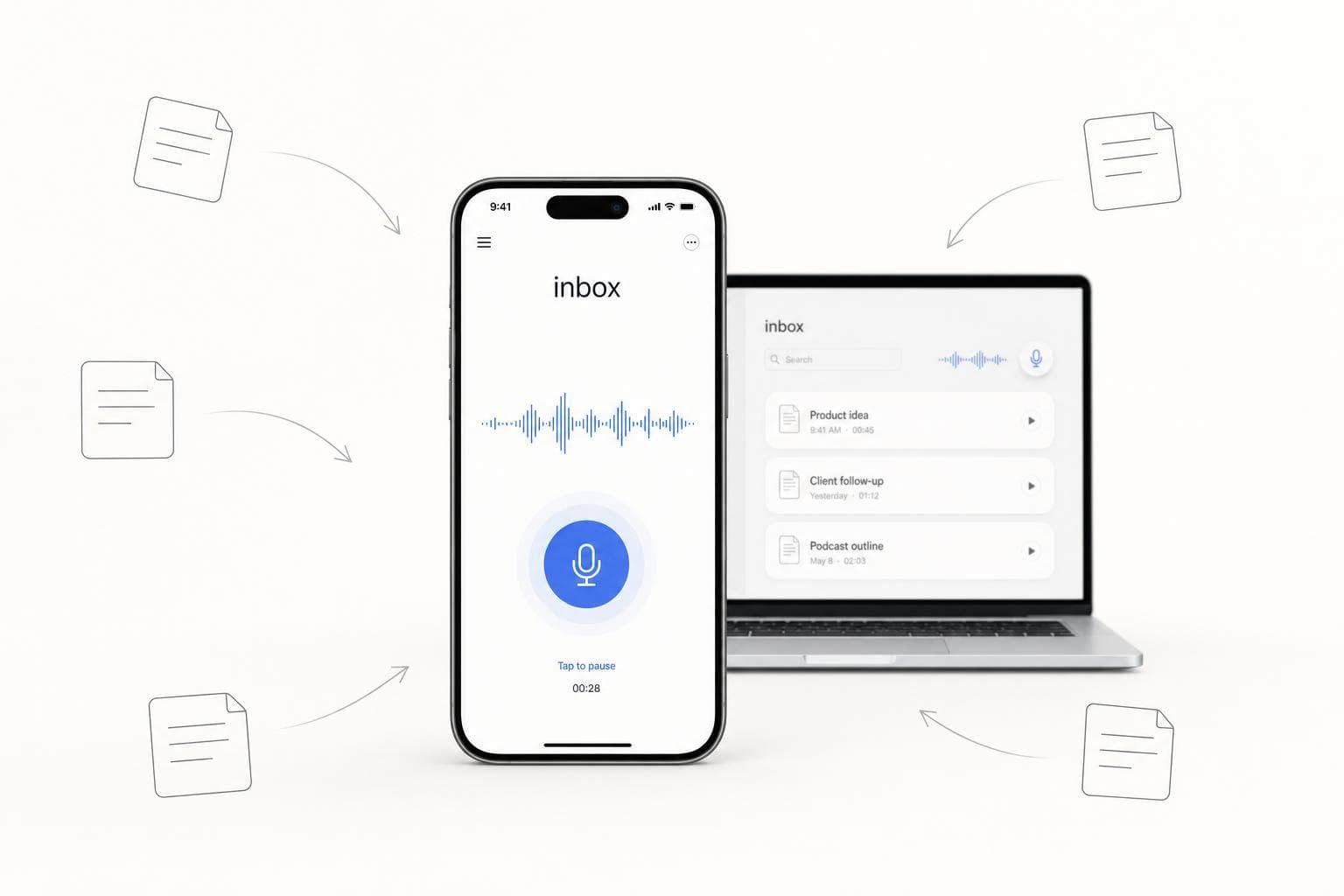
Too Many Scattered Notes? How Voice Capture Helps
If a note takes too long to save, I usually lose part of it. That’s why voice works: I can speak a thought in 2 to 4 seconds instead of spending 6 to 10 seconds opening my phone and typing, and speech can hit 153 words per minute vs. 52 words per minute for mobile typing.
Here’s the short version:
- Scattered notes are a system problem. Ideas end up in Notes, email drafts, screenshots, and tabs.
- Typing adds friction. That small delay matters when memory starts fading in about 8 seconds.
- Voice keeps more context. I can keep the reason, tone, urgency, and next step in one pass.
- Raw audio is not enough. A saved recording still needs text, cleanup, search, and filing.
- The best setup is simple: one voice input, one place for notes, and one weekly review.
- Best use cases: after calls, during walks, and before writing a first draft.
How I Use ChatGPT to Take PERFECT Notes with My Voice
sbb-itb-b6fe06e
Quick Comparison
| Method | Start time | Output | Search | Tasks | Best use |
|---|---|---|---|---|---|
| Audio memo | 2–4 seconds | Audio file | Low | Manual | Save a thought fast |
| Basic transcription | 2–4 seconds | Plain text | Medium | Manual | Turn speech into text |
| Voice-first system | 2–4 seconds | Cleaned note | High | Auto pullout | Save, sort, and use later |
| Manual typing | 6–10 seconds | Short typed note | Medium | Manual | When I need a polished note now |
Bottom line: I don’t need more places to save ideas. I need one fast path from spoken thought to a note I can find and use later.
Why voice capture works better than manual note-taking
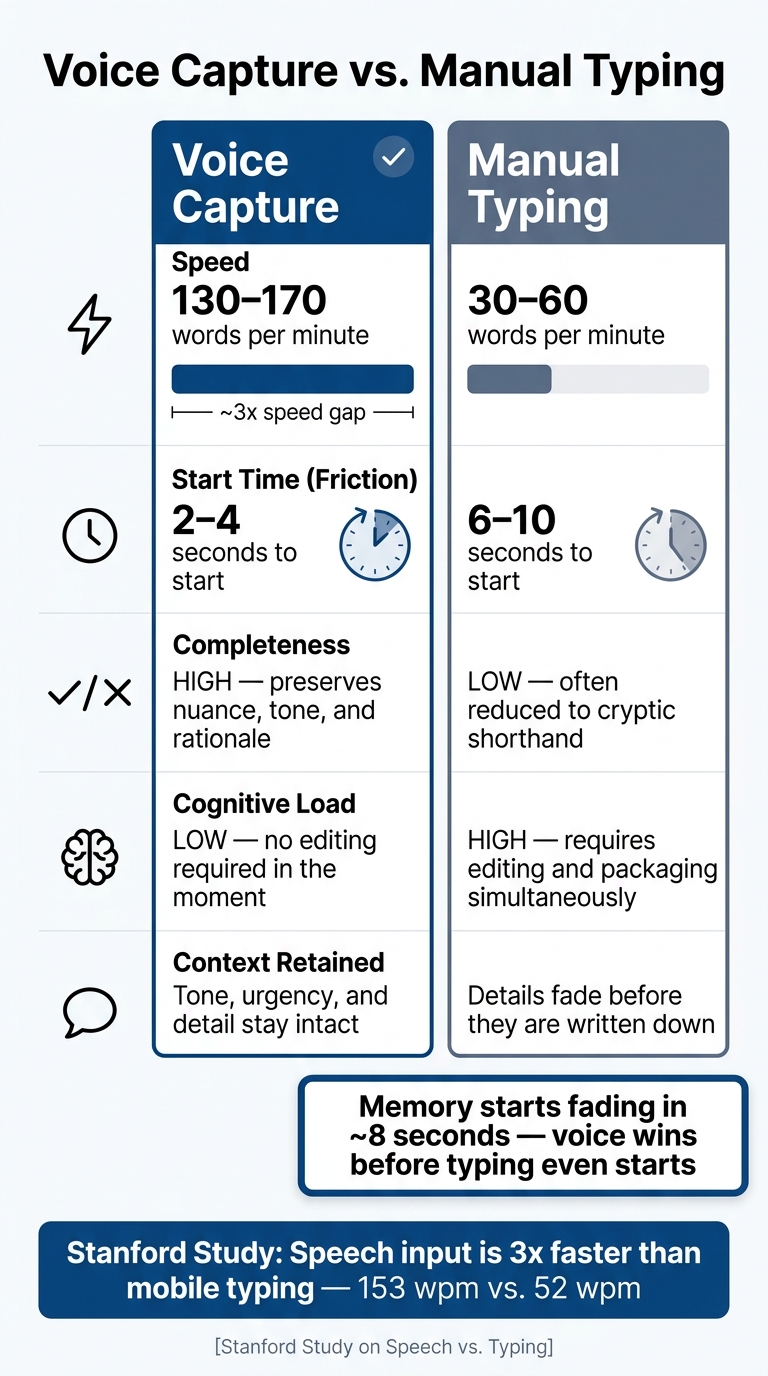
Voice Capture vs. Manual Typing: Speed, Friction & Output Quality
Talking is faster than switching apps and typing
Voice capture works better because it lets you keep a thought in one stream instead of chopping it up across apps, tabs, and half-written notes. You say it, save it, and move on.
And the speed gap is hard to ignore. In a Stanford study, speech input on mobile was 3x faster than typing: 153 words per minute vs. 52 words per minute, with lower error rates for speech. Starting a voice note also takes less time. Voice capture starts in 2 to 4 seconds, while unlocking a phone and typing takes 6 to 10 seconds.
That may not sound like much at first. But in the middle of a packed day, those few seconds are the whole game. If you're between meetings, walking to your car, or leaving a call, voice is often the only format that fits the moment. And when capture feels easy, more of the original thought makes it through.
Voice keeps more detail, urgency, and context intact
Speed is only part of it. Voice also holds onto things typed notes tend to lose.
Typing doesn't just slow you down. It nudges you into edit mode right away. You start trimming, organizing, and cleaning up before you've even saved the idea. That's where nuance disappears. Urgency softens. Context gets cut. What remains is often a short fragment that made perfect sense five minutes ago and feels almost useless later.
Spoken notes keep more of the raw material: the reason behind a call, the pressure in the moment, and the side connections that often get dropped from rushed bullet points. A founder walking out of a rough client call can record what went wrong, what they promised, and what needs to happen next - without slowing the thought down.
There's another upside too: saying an idea out loud can sharpen it. A half-formed thought often gets clearer the moment you hear yourself explain it.
Voice capture vs. manual typing: a side-by-side comparison
The contrast stands out most when you put both options next to each other.
| Feature | Voice Capture | Manual Typing |
|---|---|---|
| Speed | 130–170 words per minute | 30–60 words per minute |
| Friction | Low - 2 to 4 seconds to start | High - 6 to 10 seconds to start |
| Completeness | High - preserves nuance and rationale | Low - often reduced to cryptic shorthand |
| Cognitive load | Low - requires less editing in the moment | High - requires editing and packaging |
| Context retained | Tone, urgency, and detail stay intact | Details fade before they are written down |
How voice capture turns scattered thoughts into searchable notes
From raw speech to clean, structured output
Speed matters when an idea hits. But structure matters later, when you need to find that idea and do something with it.
Scattered notes break down for a simple reason: each thought ends up in a different place. One goes into a notebook. Another becomes a text you send yourself. Another sits in a half-written email draft. Founders lose good ideas this way because every capture moment creates one more place to check. Voice capture fixes that with a single path: speak, transcribe, clean, structure, store.
Raw speech is messy by nature. People pause, repeat themselves, and toss in filler words. But modern AI can clean that up. It can remove filler, add punctuation, and turn a rough voice note into text you can actually read. It can also sort notes into decisions, questions, and next actions. So a quick spoken thought doesn’t stay rough for long. It becomes a stored note you can scan, search, and use later.
That’s the key point: capture should end as a stored note, not as a temporary recording.
A basic voice memo app can help you save the moment. But it still leaves the hard part to you: transcription, cleanup, and filing. A voice-first pipeline handles all three.
The best setups make that cleanup automatic, so the note is ready the second you save it.
How OneKey creates one capture pipeline across Mac and mobile
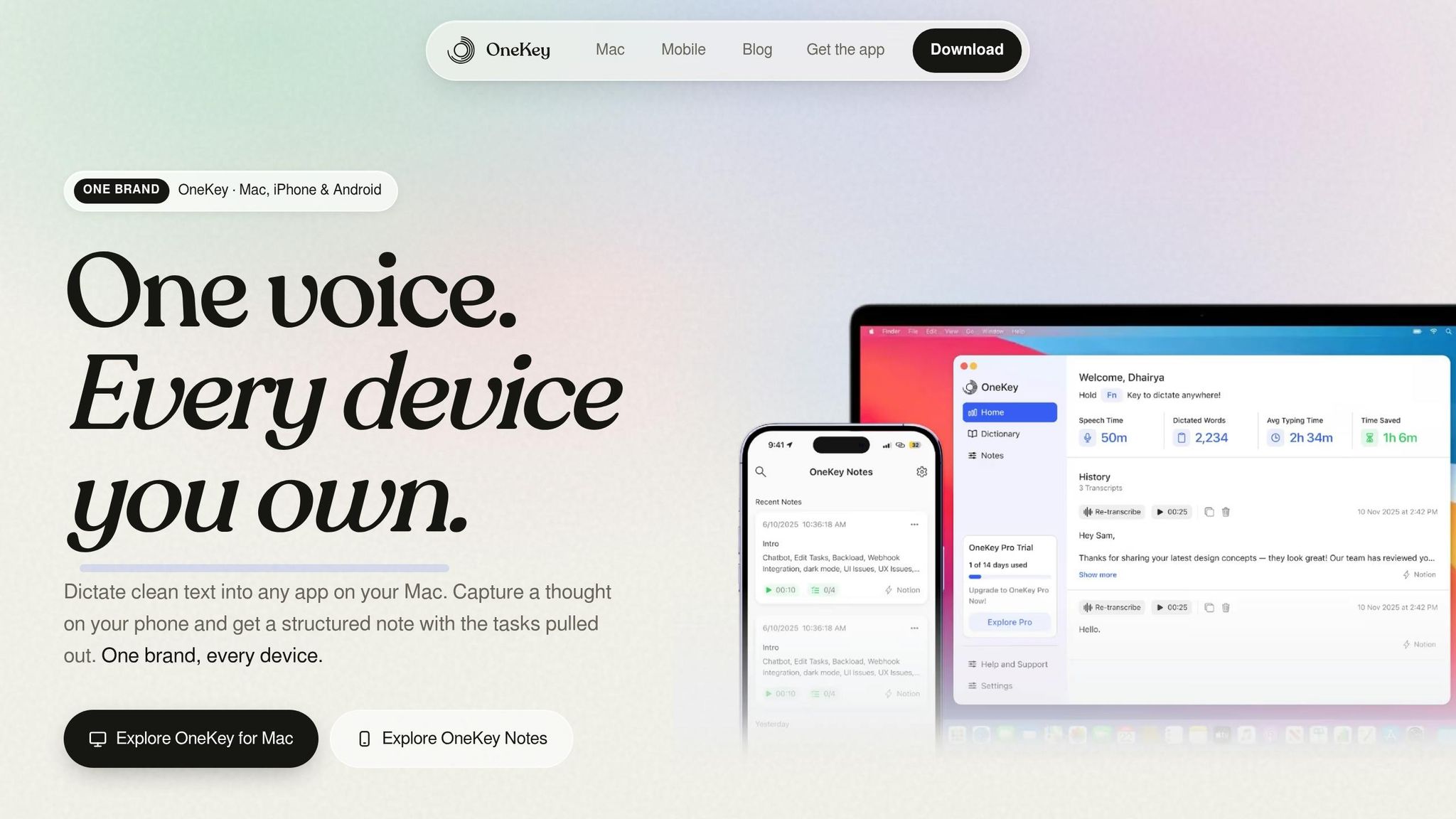
OneKey is built around one trigger, one flow, and one home base. On Mac, a single hotkey lets you grab thoughts on the spot. On mobile, you can record ideas while walking or moving between meetings. OneKey transcribes the note, cleans up the text, and can pull out tasks on its own. Webhook integrations can then send that structured output to your workspace, so the note ends up where it should without manual filing.
The result is one searchable place for captured ideas, not a messy pile of disconnected recordings.
Audio memos vs. transcription vs. voice-first systems: a comparison
The gap becomes clear when you look at how much work is left after you speak.
| Feature | Audio Memos | Basic Transcription | Voice-First AI |
|---|---|---|---|
| Output | Audio file | Flat text transcript | Cleaned, structured text |
| Findability | Low - requires replay | Keyword search | Searchable and queryable history |
| Tasks | Manual | Manual | Automatic |
| Routing | Manual folders | Manual transfer | Automatic routing to your home base |
| Cleanup | None | Basic punctuation | Cleans and formats |
Audio memos keep your voice, but they lock your ideas inside audio files. Basic transcription makes those words searchable, but you still have to sort and file everything yourself. A voice-first system handles the whole chain, so the thought you spoke during a walk is already cleaned up, searchable, and ready when you come back to it.
The goal isn’t to record more. It’s to make each note usable later.
Voice-first workflows for founders and solo operators
Once capture becomes a habit, the highest-payoff moments tend to happen right after calls, while walking, and before drafting. The pattern stays the same each time: capture fast, organize later.
Meeting debriefs: capture decisions before they fade
Meeting notes usually break down after the call, not during it. You hang up, jump to the next thing, and the details start slipping almost at once. Research shows humans forget 50% of new information within one hour and 70% within 24 hours. If your day is stacked with back-to-back calls, that window is tight.
A simple fix: right after the call, spend 60–90 seconds dictating four things - what was decided, what you committed to, anything that surprised you, and what needs to happen next. Do it on the spot, while the conversation is still clear in your head.
OneKey turns that short debrief into decisions and next actions automatically, so follow-up doesn’t fall through the cracks.
That same quick capture habit works outside meetings too.
Walk-and-think sessions and on-the-go task capture
A lot of good ideas show up when you’re walking. That’s also one of the worst times to try to save them. No desk. No laptop. Usually no clean place to stop and type. So the idea drifts off before you get back.
Voice fixes that. You say the thought when it happens, instead of hoping you’ll remember it later.
On mobile, OneKey records the idea and turns it into a searchable note. No app switching. It goes into the same home base as your meeting debriefs and task captures, instead of ending up in some other bucket you have to sort through later.
That same flow also helps when you’re trying to get from rough thoughts to a usable draft.
Content drafting: go from spoken rough thoughts to usable text
Starting a first draft - an investor update, an internal memo, or a LinkedIn post - often feels slower when you begin by typing. Why? Because typing makes you draft and edit at the same time. That usually kills momentum.
Speaking first is easier. Get the rough argument out loud, then shape it after.
OneKey cleans up filler words, adds structure, and gives you a readable transcript you can work from. From there, you can turn that transcript into a draft in minutes.
Build a reliable voice-first second brain
Set simple rules: one input habit, one home base, one review rhythm
Once capture gets fast, the next job is making sure your notes stay usable. The easiest way to do that is with one trigger, one inbox, and one weekly review.
Choose one moment when you always capture by voice: right after a call, during your commute, or while you're out for a walk. Then send every capture to the same inbox before you sort anything. Once a week, spend 15–20 minutes going through it. Tag what matters, move it to your archive, and archive or delete the rest.
Lead with the project name. For example: "Investor update - the opening paragraph feels defensive because…" That small habit does more for clarity than a pile of extra features.
What OneKey adds to a dependable second-brain workflow
Most second-brain setups break down for a simple reason: capture feels like too much work.
OneKey cuts that friction on both Mac and mobile. A single keypress starts dictation across your system, and each note gets transcribed, cleaned up, and sent to one searchable archive. That means nothing ends up in some side folder you forget to check. It also works offline, so you can keep going without a connection, and automatic task extraction helps pull commitments out of long transcripts before they disappear into the mess.
Conclusion: fewer capture points, fewer lost ideas
When capture and review are in place, scattered notes start to look like a capture problem, not an organization problem. The ideas themselves aren't the issue. They just never made it into a system you can search and trust. Voice cuts friction at the exact moment an idea shows up, and that's the moment that counts.
A single voice-first pipeline - one input habit, one home base, one weekly review - makes the whole thing more dependable. Fewer capture points mean fewer places for ideas to slip away. And when retrieval is fast and searchable, the notes you keep are far more likely to get used.
FAQs
How do I turn voice notes into searchable notes?
Turn spoken ideas into searchable notes by putting them into text.
The simplest path is real-time dictation. As you speak, your words show up as editable text right inside your note-taking or writing app. That means no juggling audio files, no extra cleanup, and less friction when you're trying to catch an idea before it slips away.
For recordings you already have, use transcription to convert the audio into text. From there, keep everything in a Voice Inbox with dates, tags, and short summaries. That way, your notes stay searchable, organized, and easy to pull up later.
When is voice capture better than typing?
Voice capture beats typing when you need to save something right away in moments where using your hands just doesn’t work well - or isn’t safe. Think driving, working out, cooking, or lying in bed.
Speaking is about three times faster than typing on a phone, so you can get the thought out before it slips away. It also lets you record ideas without bouncing between apps. And compared with typing, voice can hold onto more nuance, emotion, and conversational context.
How should I organize voice notes so they don’t pile up?
Keep a steady routine: capture now, sort later.
When an idea pops up, record it as-is. Don’t stop to clean it up or file it away. Then set aside 15 minutes each week to review your transcriptions and move the useful parts into your long-term project plan or task manager.
The big rule here is simple: don’t organize while recording. That slows you down and breaks your train of thought.
It also helps to use tools that remove filler words, fix punctuation, or send notes straight into the right project. That cuts down on manual sorting and makes the whole process less of a chore.