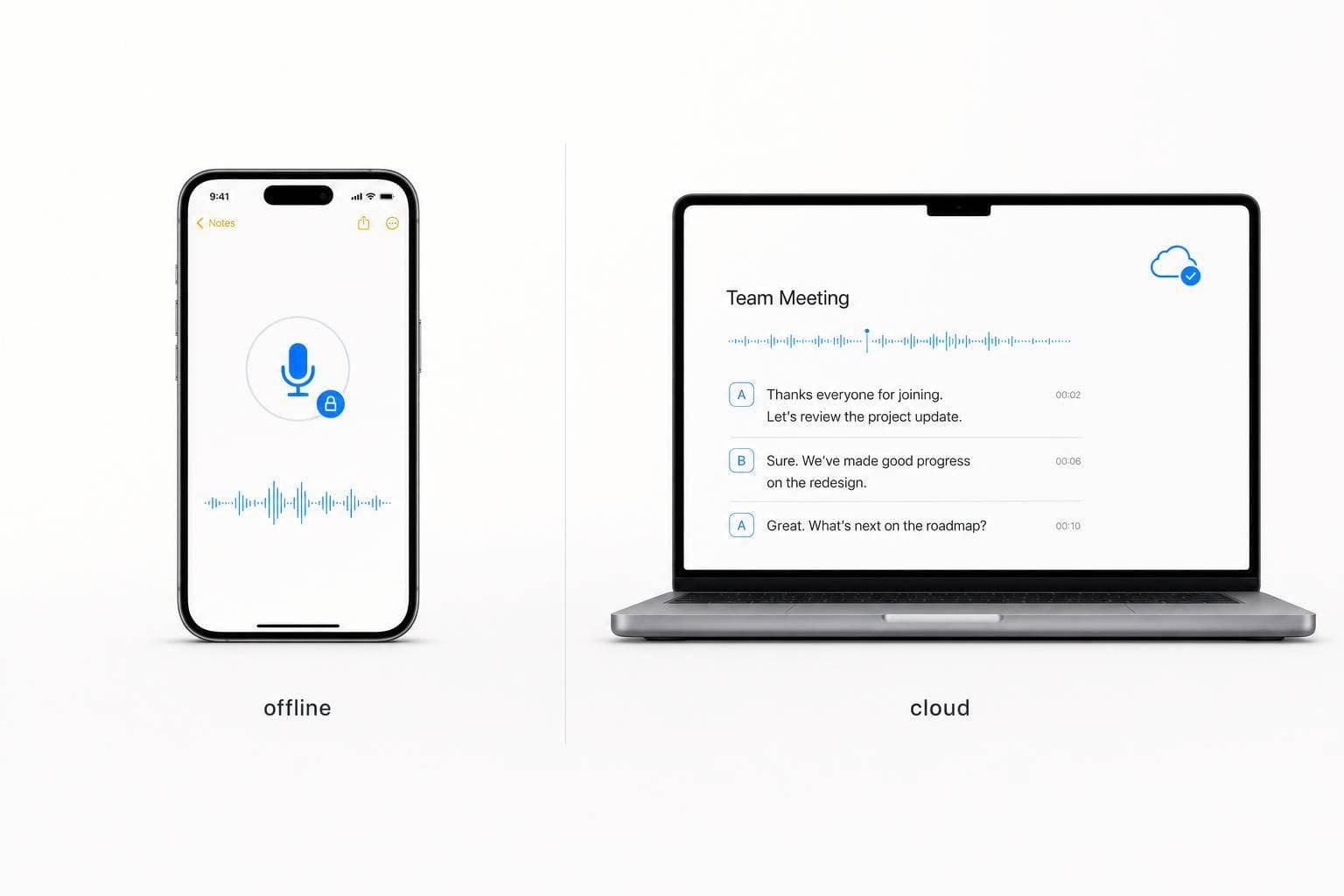
Offline vs Cloud Dictation: What Works Best for You
If you want the short answer: use offline dictation for privacy, low lag, and no-internet use; use cloud dictation for meetings, speaker labels, and shared workflows.
I’d make the choice based on four things: privacy, speed, internet access, and the kind of audio you record. Offline dictation usually feels faster, with about 50–300 ms of latency on newer devices, while cloud dictation often lands around 350–1,700 ms. But cloud tools still tend to do better with noisy rooms, strong accents, and multi-speaker audio.
Here’s the plain-English version:
- Pick offline if you want your audio to stay on your device
- Pick offline if you work on planes, trains, or weak Wi-Fi
- Pick offline if you dictate a lot and want a more fixed cost
- Pick cloud if you need meeting transcripts with speaker names
- Pick cloud if you want sync across devices and app automations
- Pick cloud if your audio includes jargon, noise, or several speakers
- Pick both if your week includes private notes and team meetings
Quick Comparison
| Factor | Offline Dictation | Cloud Dictation |
|---|---|---|
| Where audio is processed | On your device | On a remote server |
| Latency | 50–300 ms | 350–1,700 ms |
| Privacy | Higher, since audio stays local | Lower, since audio leaves the device |
| Internet needed | No | Yes |
| Accuracy for clean solo speech | 92%–97% | 95%–98% |
| Noisy or multi-speaker audio | Less suited | Better fit |
| Cost | One-time fee or flat plan | Monthly or usage-based |
| Older devices | May struggle | Usually easier to run |
| Best use case | Private notes, travel, daily dictation | Meetings, sync, and automation |
My rule of thumb: if you’re dictating personal notes, memos, or work that should not leave your machine, go offline. If you need searchable meeting transcripts, shared records, or workflow handoffs, cloud is often the better fit.
The rest of the article breaks down where each option works best, and when a hybrid setup makes more sense.
sbb-itb-b6fe06e
Offline vs Cloud Dictation: A Side-by-Side Comparison
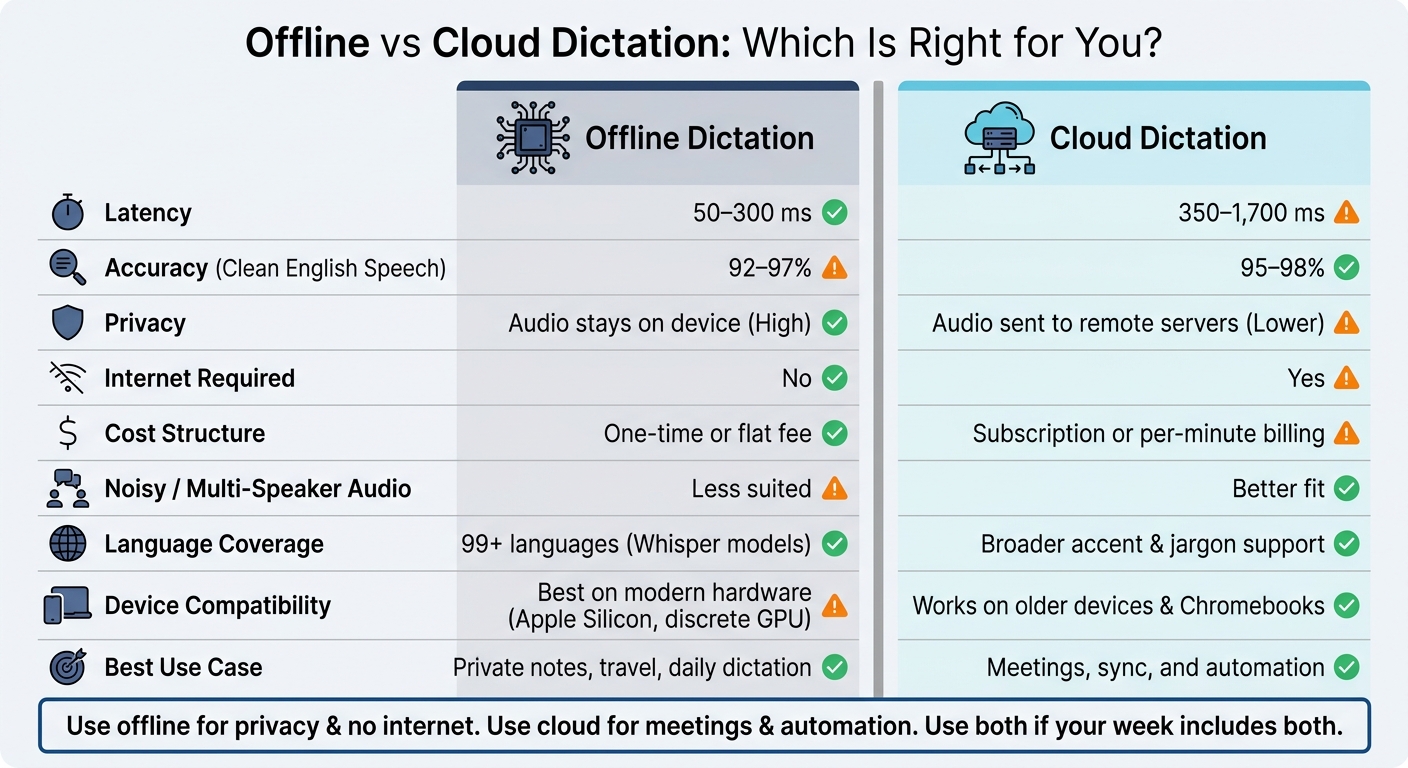
Offline vs Cloud Dictation: Side-by-Side Comparison
Use this breakdown to pick the setup that fits meetings, private notes, travel, and automation.
| Factor | Offline Dictation | Cloud Dictation |
|---|---|---|
| Accuracy (English) | 92–97% for clean solo speech | 95–98% for clean solo speech |
| Speed and Latency | 50–300 ms on modern Apple Silicon | 350–1,700 ms, depending on network and server load |
| Privacy | Audio is processed on your device | Audio is sent to off-device servers |
| Internet Required | No - works without a connection | Yes - needs a stable connection |
| Cost Structure | One-time or flat monthly fee | Recurring subscription or per-minute billing |
| Language Coverage | 99+ languages with modern Whisper models | Broader support for niche accents, dialects, and domain-specific jargon |
| Device Compatibility | Best on modern hardware like Apple Silicon or a Windows PC with a discrete GPU/NPU | Works on older devices such as aging phones and Chromebooks |
Accuracy, Speed, and Latency
Cloud still has an edge in noisy rooms and multi-speaker audio. But for clean solo dictation, offline is now close enough that many people won’t notice much of a gap. And in one area, offline is plainly ahead: latency.
Because there’s no network round-trip, offline feedback can feel almost instant. On modern Apple Silicon, latency lands around 50–300 ms. Cloud dictation adds more delay - about 350–1,700 ms, based on your connection and server load. That difference can feel small on paper, but in live dictation it’s the gap between “this keeps up with me” and “hold on a second.”
Speed matters even more when the system also stays private and dependable.
Privacy, Reliability, and Cost
If you’re dealing with sensitive notes or regulated workflows, offline is the safer default. Audio stays on your device, which means there’s no external data trail. That’s a big deal for work that involves client records, legal notes, or internal company material.
Cloud works differently. Your audio is sent off-device, which adds both a privacy risk and a reliability tie to your internet connection. If the connection drops, the workflow can stall. Simple as that.
Cost also splits the two camps in a pretty clear way. Offline tools are more often sold with a one-time purchase or a lifetime-style license. Cloud products, by contrast, usually come with recurring subscriptions or per-minute billing.
That brings the last two filters into view: language support and hardware.
Language Support and Device Compatibility
Cloud has the edge for less common languages, regional accents, and field-specific jargon in areas like medicine or law. If your speech includes technical terms or accent variation, cloud systems tend to handle that better.
Offline support has come a long way. Modern Whisper models cover 99+ languages, which is a big jump from where offline dictation used to be. The catch is hardware. Larger models usually need at least 16 GB of RAM, and they run best on Apple Silicon or a Windows system with a discrete GPU or NPU.
Cloud is easier on older devices because the heavy lifting happens somewhere else. That makes it a simpler fit for aging phones, basic laptops, and Chromebooks.
Those tradeoffs start to matter fast once privacy, travel, or high-volume dictation enter the picture.
When Offline Dictation Is the Better Choice
Offline makes more sense when privacy, uptime, or fixed cost matter more than cloud add-ons. You see that most in private notes, travel, and day-to-day heavy use.
Private Journals, Strategy Notes, and Sensitive Memos
Offline is the better call when the price of a mistake is higher than the upside of cloud features. If a note is sensitive, keep it on the device. That matters for founders, consultants, and regulated professionals working with material like investor notes, client memos, and internal strategy docs that shouldn’t leave the device.
Some cloud tools retain audio unless you opt out. Local processing avoids third-party data transfer, which makes privacy handling simpler in regulated work.
Travel, Commutes, and Weak or No Internet
Offline keeps working on flights, on shaky Wi-Fi, and anywhere your signal drops. Download the model before you travel, and it runs without a connection - whether you’re in a basement between meetings or drafting a memo before boarding. Local processing feels fast enough to catch ideas while you’re moving.
If you dictate a lot, the next thing to look at is cost over time.
High-Volume Dictation Without Recurring Fees
High-volume dictation often points to a fixed-cost offline setup. Offline tools usually come with a one-time license or flat fee. Cloud tools usually charge monthly or by usage. Over time, that gap adds up, especially for founders and solo operators already juggling a pile of monthly subscriptions.
When Cloud Dictation Is the Better Choice
Cloud makes more sense when the job involves other people, multiple speakers, or more than a rough transcript. It shines when speech needs to become shared, searchable, or part of an automated workflow.
Meeting Transcription and Searchable Knowledge Capture
Cloud is the better fit when meetings need speaker labels and clean transcripts. Many local apps still don’t ship with speaker diarization, while cloud services can automatically label who said what. That makes board meetings, client calls, and remote standups far more useful after the fact.
Newer cloud models also tend to do better with heavy accents, background noise, and specialized vocabulary than most local models. And when the language gets niche - rare drug names, dense legal jargon, or proprietary technical terms - fine-tuned cloud models are often worth the privacy trade-off because they make fewer mistakes. On top of that, cloud transcripts can be indexed and searched later, which turns a meeting into something closer to a working archive.
Structured Outputs, Syncing, and Automation
Once the audio is captured, cloud tools can clean up the text and send it to the next step on their own. Many combine transcription with summarization, sentiment analysis, and action item extraction in a single pass. So instead of staring at a long standup recording, you get something closer to a team update or a formatted note with much less cleanup.
Cloud also helps when a voice note recorded on your phone needs to appear on your Mac fast, already cleaned and tagged. Offline tools can transcribe well, but they don’t sync data across devices by themselves.
Then there’s automation. Cloud dictation can trigger webhooks into tools like Slack and project platforms, so a spoken update can move straight into your workflow without extra copy-pasting. If you work solo, that can save a surprising amount of follow-up.
Use the table below to match common founder workflows to the right setup.
| Scenario | Recommended Setup | Primary Reason |
|---|---|---|
| Board meeting notes | Cloud | Speaker diarization and team sharing |
| Idea capture while walking | Cloud | Mobile capture with sync to searchable history |
| Daily standup automation | Cloud | Webhook integrations into Slack or project tools |
| Executive memos | Offline | Privacy-first; local accuracy matches cloud for clear prose |
| Medical or legal dictation | Cloud (specialized) | Domain vocabulary tuning cuts errors significantly |
| Travel or no-internet zones | Offline | Reliable without a connection |
Conclusion: How to Choose Between Offline, Cloud, or Both
If you want the short version, use one simple rule: pick based on your workflow - privacy, mobility, or collaboration.
Best Default by Workflow Type
Offline is the best default for private work or anything you do without a connection. Cloud works better for meetings and for team setups where search, sharing, and synced records matter. If your week includes both kinds of work, a hybrid setup makes the most sense.
Here’s the plain-English version: use local dictation for anything you don’t want living on a server, and send meeting audio to cloud tools when you need speaker labels, cleaner formatting, and sync across devices. For founders and solo operators who need private capture and organized output, OneKey sits in that middle lane - offline dictation on Mac for sensitive notes, plus mobile voice capture that syncs and brings notes back when needed.
What to Check Before You Decide
Before you decide, run through these four filters:
- Hardware: Local dictation works best on newer machines. Older laptops and Chromebooks are often a better match for cloud processing, which shifts the heavy lifting to the server.
- Privacy: If your audio may include PHI or privileged content, keep it on-device.
- Internet reliability: Cloud dictation needs a stable connection. If you often work while traveling, in rural areas, or anywhere with weak internet, offline is the safer bet.
- Budget: Cloud brings a recurring bill. Local dictation usually gives heavy users a lower fixed cost.
The last rule is simple: offline for privacy and no internet, cloud for meetings and automation, hybrid if you need both.
FAQs
How do I choose a hybrid setup?
Use a local-first setup for most dictation work. On-device tools are a good fit for day-to-day use because they’re private, fast, and still work when your internet doesn’t.
Save cloud services for edge cases, like speaker diarization, team collaboration, or meeting transcription that needs deeper AI post-processing. That way, you keep privacy and costs in check while still having a backup for more specialized jobs.
Can offline dictation handle multiple speakers?
Yes, but it’s usually less effective than cloud-based dictation for this job.
Some advanced local tools can handle speaker identification, also called diarization. But in live meetings with multiple people talking, cloud-based services tend to do a better job.
If accurate speaker separation matters a lot, cloud-based dictation is usually the better fit.
Offline dictation works better when you care more about:
- Privacy
- Speed
- Standard single-speaker input
What hardware do I need for offline dictation?
For offline dictation to work well, your computer needs enough power to run AI models locally.
On Mac, any Apple Silicon Mac - from M1 to M4 - is a good fit.
On Windows, you’ll want a machine with a discrete GPU, such as an NVIDIA card for CUDA acceleration, or newer integrated graphics. In practice, most laptops released in 2020 or later have enough power for real-time local transcription.