Voice-First Second Brain: Guide for Founders
Most founders don’t lose ideas because the ideas are weak. They lose them because the handoff is too slow.
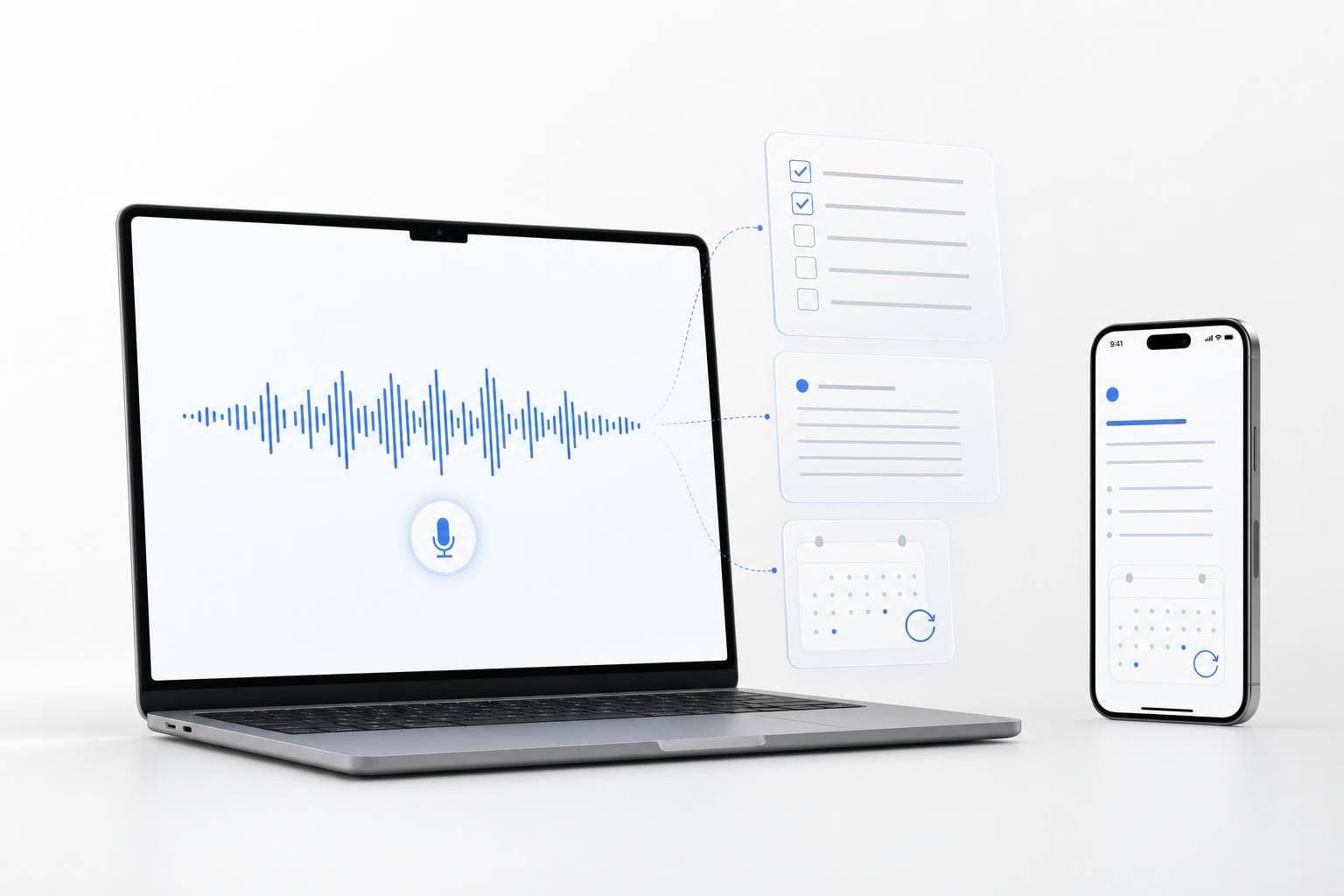
I’d sum this up in one line: speak first, let AI clean it up, then send it where it needs to go. The article lays out a simple 5-step loop - Capture → Clarify → Structure → Connect → Resurface - so a thought from a call, commute, or meeting can turn into a note, task, brief, or follow-up before it slips.
Here’s the whole point in plain English:
- Voice beats typing in busy moments because I can talk between calls, during a walk, or right after a meeting.
- Short labels help AI sort speech into things like Task, Decision, Idea, and Question.
- A small note system is enough for founder work: ideas, meetings, and company notes.
- Search has to work by meaning, not just exact words, or old notes are hard to find.
- Daily resurfacing matters because missed follow-ups often come from notes that never come back up.
- Routing matters because one voice note should become one next step, not sit in a folder.
- Portability and privacy matter if the notes include hiring, fundraising, or company plans.
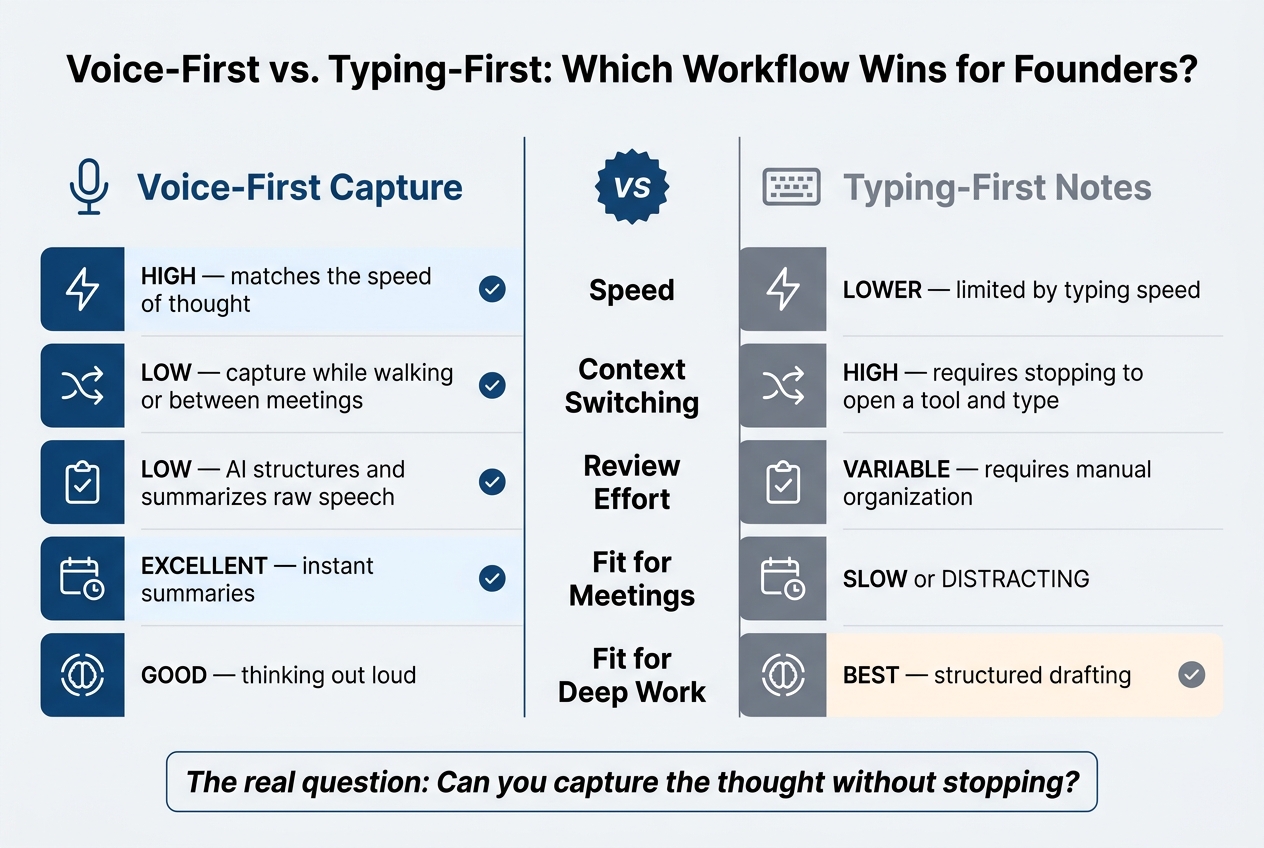
A few facts stand out. The guide centers on 3 note types, 3 filing buckets (Projects, Areas, Reference), and a 3-week rollout to make the system stick. It also compares voice-first and typing-first workflows across speed, context switching, review effort, meetings, and deep work.
If I had to boil the article down even more, it would be this:
| What matters | Simple takeaway |
|---|---|
| Input | Talk before I type |
| Cleanup | Let AI turn rough speech into clean text |
| Structure | Use light templates, not heavy filing |
| Retrieval | Find notes by meaning and date |
| Follow-through | Bring back open tasks before they’re missed |
| Setup | Start small and build the habit over 3 weeks |
Bottom line: a voice-first second brain is less about storing notes and more about turning spoken thoughts into usable work fast. The rest of the article explains how to make that a daily habit.
Build the Input Habit: Talk Before You Type
Founders need a capture habit they can repeat between calls, decisions, and constant context shifts. The simplest move is to make speaking your default way to capture.
When to Capture During a U.S. Founder Workday
Once speaking becomes the default, use it in the moments that show up every day. Capture right after meetings, during transitions, inside solo focus blocks, and at the end of the day.
How to Speak So AI Can Clean Up Your Notes Well
AI can clean up messy speech well while keeping your intent and cutting filler. A simple trick helps: use short labels like Task, Decision, Idea, and Question.
Those cues give the AI a clearer signal, so it can shape the output in a way that makes sense. You don’t need to sound polished. Just say what happened, what needs action, or what you want to revisit later.
Mobile and Mac Habits That Cut Context-Switching
The habit should work the same way on every device. On mobile, tap, speak, and move on. On Mac, press a hotkey and speak without leaving your app. Then the cleaned-up text shows up in any app without breaking your flow.
OneKey follows this pattern: capture on mobile, or press a key on Mac and have the cleaned-up text appear system-wide. The point is simple: make voice the starting point, not something you deal with later.
Turn Raw Voice Into Structured Notes, Tasks, and Briefs
Once capture happens on its own, the next step is turning speech into something you can use. This is the clarify-and-structure part of the capture → clarify → structure → connect → resurface loop. The goal is simple: use the least amount of structure that still makes the note easy to find and act on.
One Simple Schema for Ideas, Meetings, and Operating Notes
For most founder work, three note types do the job:
| Note Type | Minimum Fields | Output Goal |
|---|---|---|
| Idea | Problem, Audience, Proposed Solution, Evidence, Risks, Next Action | Decision memo |
| Meeting | Participants, Purpose, Key Points, Decisions, Follow-ups (Owner + Due Date) | Follow-up brief |
| Operating Note | Context, Core Belief, Business Implication | Operating reference |
You don't need to fill in every field every time. You just need to give the AI enough signal so it can shape the note the right way.
Let AI Turn Messy Speech Into Ready-to-Use Outputs
A voice-first setup should clean, format, and route the note into something usable. AI should tidy up the note without changing the meaning. Put plainly, it should turn rough thinking into structured output that reads cleanly and gets to the point.
From one voice note, AI can create a summary, a task list, an email, or a LinkedIn post based on the template you apply. OneKey turns spoken thoughts into emails, summaries, task lists, LinkedIn posts, and custom formats instantly.
That changes the role of the voice note. It stops being a holding bin and starts becoming a first draft.
Sort Notes by Projects, Areas, and Reference
File notes into three top-level buckets: Projects, Areas, and Reference. Keep the cleaned version as the default. Keep the raw version only when exact wording matters.
The point is to spend less time organizing and more time using the note when you need it.
Structured notes only help if you can find them and reuse them fast.
Make the System Work: Search, Resurfacing, and Follow-Through
Once your notes are set up, they need to come back at the right time. That’s where a second brain starts to pay off. You’re not just storing thoughts. You’re pulling up the right idea before an investor call, a customer follow-up, or a team decision.
Search by Meaning, Not Just Exact Words
A voice-first system should index notes by meaning, not only by exact phrasing. So if you search for a topic, customer, meeting, or decision, you can still find the right note even when you said it a different way out loud.
It also helps to have more than one path back to the same note. Tag-based grouping links repeat customers or decision frameworks across notes. Date-based search gives you another way in when you only remember roughly when something happened.
AI cleanup strips out filler, keeps the names and details that matter, and makes semantic search work better. That matters more than most people think. Spoken notes are often messy on the first pass, so cleanup is what turns “a rambling thought in the car” into something you can find later.
Resurface Open Commitments Before They Become Missed Commitments
This is where things often fall apart: follow-through.
You told an investor you’d send something. You pushed a product call to next week. You said you’d set up a hiring conversation. Then the note disappears into the pile.
A good voice-first system uses daily prompts to bring back recent captures based on what they’re about and what they’re asking you to do. OneKey's Today's Priorities surfaces relevant notes and tasks as a daily agenda.
For work with more at stake, automations can send a captured decision or task straight into an external workflow on their own. That way, a spoken note doesn’t just sit there. It moves.
Connect Every Voice Note to Meetings, People, and Tasks
Each note should link back to the project, people, and follow-up tasks tied to it. That keeps the note connected to the work it’s meant to move forward.
The Suggested Tasks feature identifies actionable commitments from raw speech so they do not get buried inside a longer summary. For meeting wrap-ups, use a concise, action-first output mode when you want the output to be tight and ready to send.
In plain English: every conversation, decision, and task needs a home. Otherwise, even a good note is just clutter.
sbb-itb-b6fe06e
Compare Voice-First Tools and Workflows
Voice-First vs. Typing-First Notes: Founder Workflow Comparison
Voice-First Capture vs. Typing-First Notes
The core difference is simple: can you capture the thought without stopping? Voice lets you keep moving. Typing usually makes you pause, open an app, and switch gears. That small delay is often enough to break founder flow.
| Factor | Voice-First Capture | Typing-First Notes |
|---|---|---|
| Speed | High - matches the speed of thought | Lower - limited by typing speed |
| Context Switching | Low - capture while walking or between meetings | High - requires stopping to open a tool and type |
| Review Effort | Low - AI structures and summarizes raw speech | Variable - requires manual organization |
| Fit for Meetings | Excellent for instant summaries | Can be slow or distracting |
| Fit for Deep Work | Good for thinking out loud | Best for structured drafting |
Once capture is easy, the next thing to check is what happens after the note is recorded. Can the system clean it up, make it searchable, and bring it back when you need it?
What to Look for in a Voice-First Second Brain
Not every voice tool works well for founder use. The gap between a basic transcription app and a real second brain comes down to what the tool does after you speak.
| Criterion | Why It Matters for Founders |
|---|---|
| Fast Capture | High-value thoughts don't wait - one-tap recording helps prevent loss |
| Fast capture on mobile and Mac | Works on the go and system-wide without breaking your flow |
| AI Cleanup | Turns non-linear speech into structured, professional notes |
| Task Extraction | Automatically surfaces commitments so nothing gets buried |
| Semantic Search | Lets you find ideas by meaning, not just exact words |
| Resurfacing | Brings back relevant notes before meetings or decisions |
| Webhook Integration | Routes voice notes into Slack, email, or automation workflows |
| Privacy Controls | Helps protect sensitive data like fundraising, hiring, and strategy |
| Data Portability | Lets you export your notes and avoid lock-in |
Two items get missed more than they should: resurfacing and portability. If you can’t find a note later, it may as well not exist. And if you can’t export your notes, you’re taking on extra risk.
That’s what these criteria decide: whether a note stays useful after capture.
Where OneKey Fits for Founder Workflows
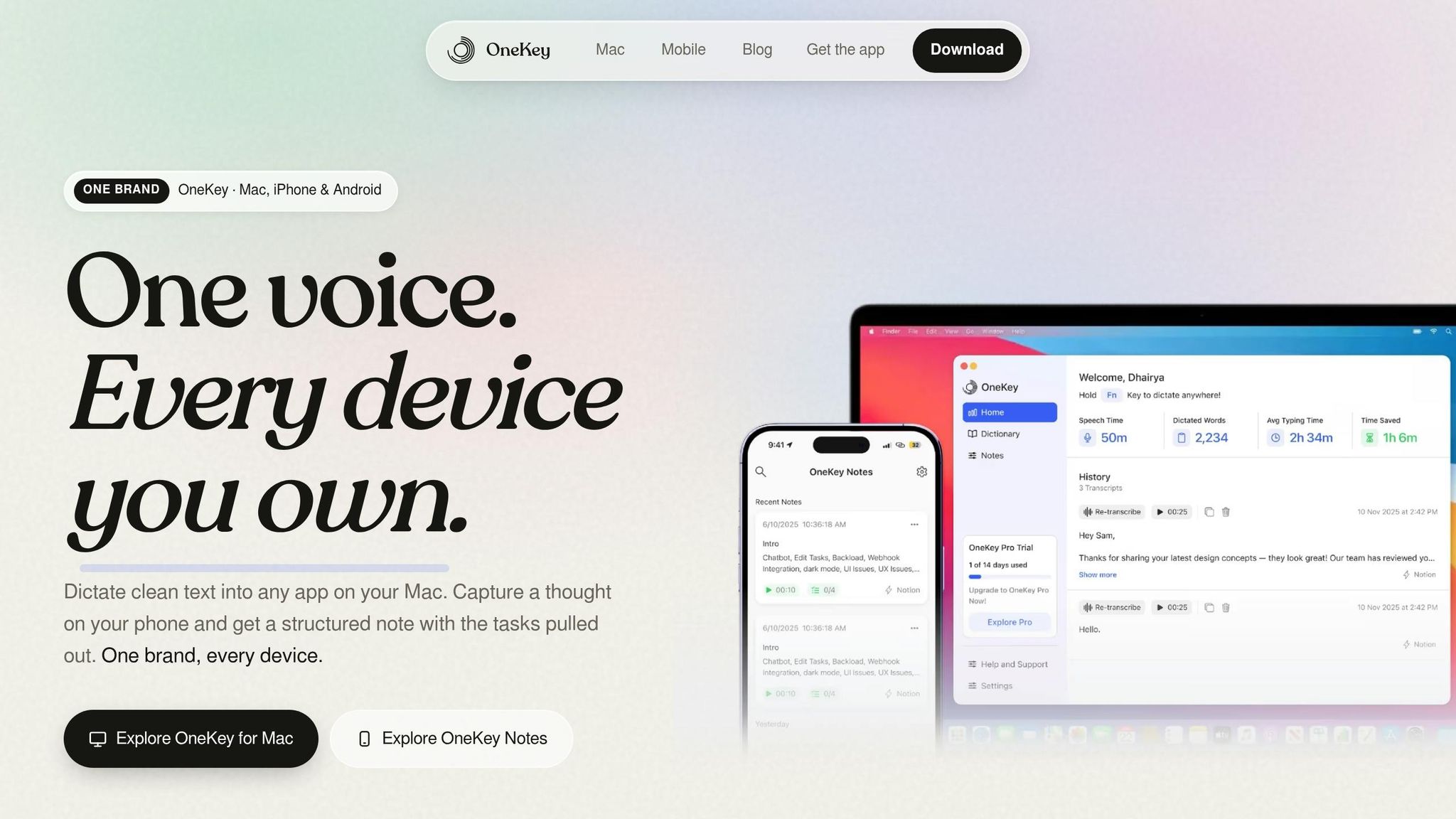
OneKey lines up well with fast-moving founder work. On mobile, you can speak from anywhere and get output you can use right away. On Mac, one keypress lets you dictate system-wide without switching apps.
Here’s how common founder use cases map to OneKey features.
| Founder Use Case | OneKey Feature |
|---|---|
| Meeting follow-ups | Instant AI-cleaned summaries without typing |
| Strategy capture on the go | Mobile voice capture in any language, anywhere |
| Hiring notes | AI-enhanced output turns raw speech into polished drafts |
| Content drafting | Converts spoken thoughts into LinkedIn posts, emails, and briefs |
| Task routing | Webhook integrations push captured tasks to Slack, email, or automation tools |
| Daily prioritization | Today's Priorities surfaces relevant notes as a daily agenda |
With the workflow mapped out, the next step is turning it into a habit.
Set Up a Founder Operating System That Lasts
A 3-Week Plan for Capture, Cleanup, and Routing
Use this rollout to protect decisions, follow-ups, and ideas that would otherwise slip through the cracks. Over the next three weeks, make capture automatic first. Then add cleanup and routing.
| Week | Focus | What to Do |
|---|---|---|
| Week 1 | Capture | Replace typing with one-tap voice recording during walks, breaks, and solo focus time. |
| Week 2 | Structure | Move from raw capture to a standard cleaned output, then automate routing to your task manager or inbox. |
| Week 3 | Routing | Enable daily resurfacing prompts generated from your recent voice notes. Refine the system with custom templates for recurring outputs like investor updates or social media posts. |
Once capture and routing are working, lock in the rules that keep the system light and easy to run.
Guardrails for Privacy, Portability, and Low Maintenance
Keep filing simple. Let notes auto-file by project, area, or reference. Add manual tags only when a note needs to come back up later.
For sensitive notes - like fundraising strategy or hiring decisions - check storage and sharing rules before using the system for that kind of material.
On portability, set up webhooks from day one so your notes don’t get stuck in one app. Each voice note should create a text copy in your main system.
Conclusion: The Minimum System to Never Lose a Useful Thought
With capture, cleanup, and routing in place, one rule matters most: make every note usable.
Start with one captured thought that becomes one task.
FAQs
How do I start a voice-first second brain without overcomplicating it?
Start by changing how you collect ideas: speak instead of type. With OneKey, you can record thoughts, meeting summaries, or daily plans hands-free in any language.
The workflow is simple. Capture ideas on the go, let AI transcribe and sort your raw speech into a clear note, then use automated summaries or priority nudges to keep everything in order.
What should happen after I capture a voice note?
After you record a voice note, AI can transcribe it and turn rough speech into a clear, structured note in your own words. It cuts filler, smooths out the phrasing, and organizes your ideas while keeping your original meaning intact.
Once the note is structured, you can use it right away or kick off automated workflows. That can include sending data to outside systems or starting custom processes.
How do I make sure important notes resurface at the right time?
Use OneKey to automate your daily alignment. It turns your recent voice notes into daily reminders and brings your top priorities to the surface for the day.
These context-aware nudges help you stay focused on the tasks that matter most. You don't have to dig through old notes or piece things together by hand. Instead, the thoughts you captured earlier show up at the right time, ready to turn into action.