AI Action Item Detection: Guide for Founders
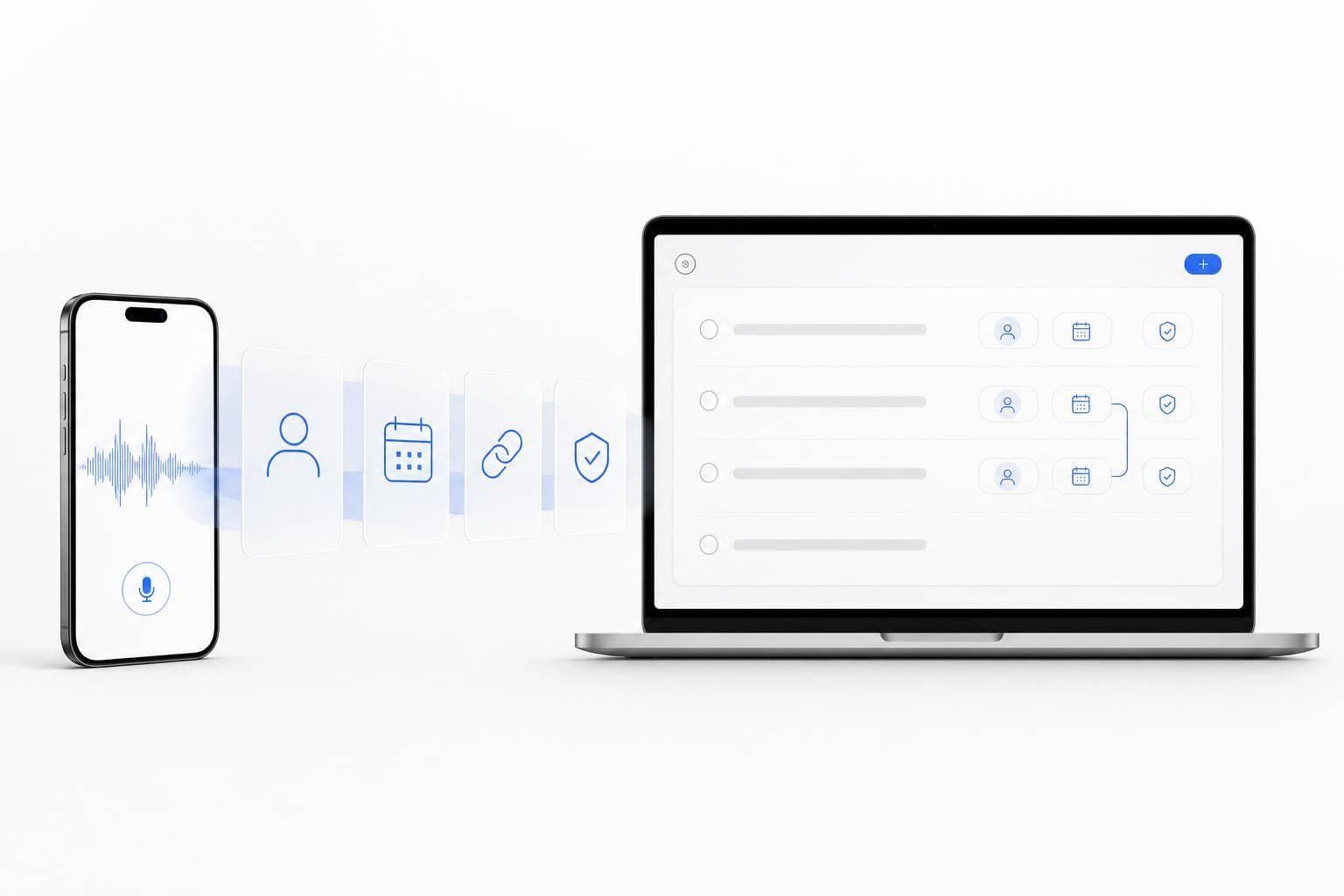
If you speak your next step out loud, AI can turn it into a task, owner, due date, and follow-up draft. That is the core idea.
I’d sum up the article like this: AI looks at transcript language for signals such as “I’ll send it,” “follow up,” or “review by Friday.” Then it sorts spoken notes into tasks, names, dates, blockers, and follow-ups. For founders, that matters because many decisions happen in meetings, voice notes, and short thoughts between calls.
Here’s the short version:
- I use AI action item detection to turn speech into task lists and summaries.
- It works best when I say who, what, and when out loud.
- It can detect:
- Tasks
- Owners
- Due dates
- Dependencies
- Follow-ups
- It is useful for:
- Meetings
- Voice notes
- Mobile notes away from my desk
- I still need to review:
- Pronouns and names
- Loose ideas vs. firm commitments
- Relative dates like “next Tuesday”
- Money, legal, and external actions
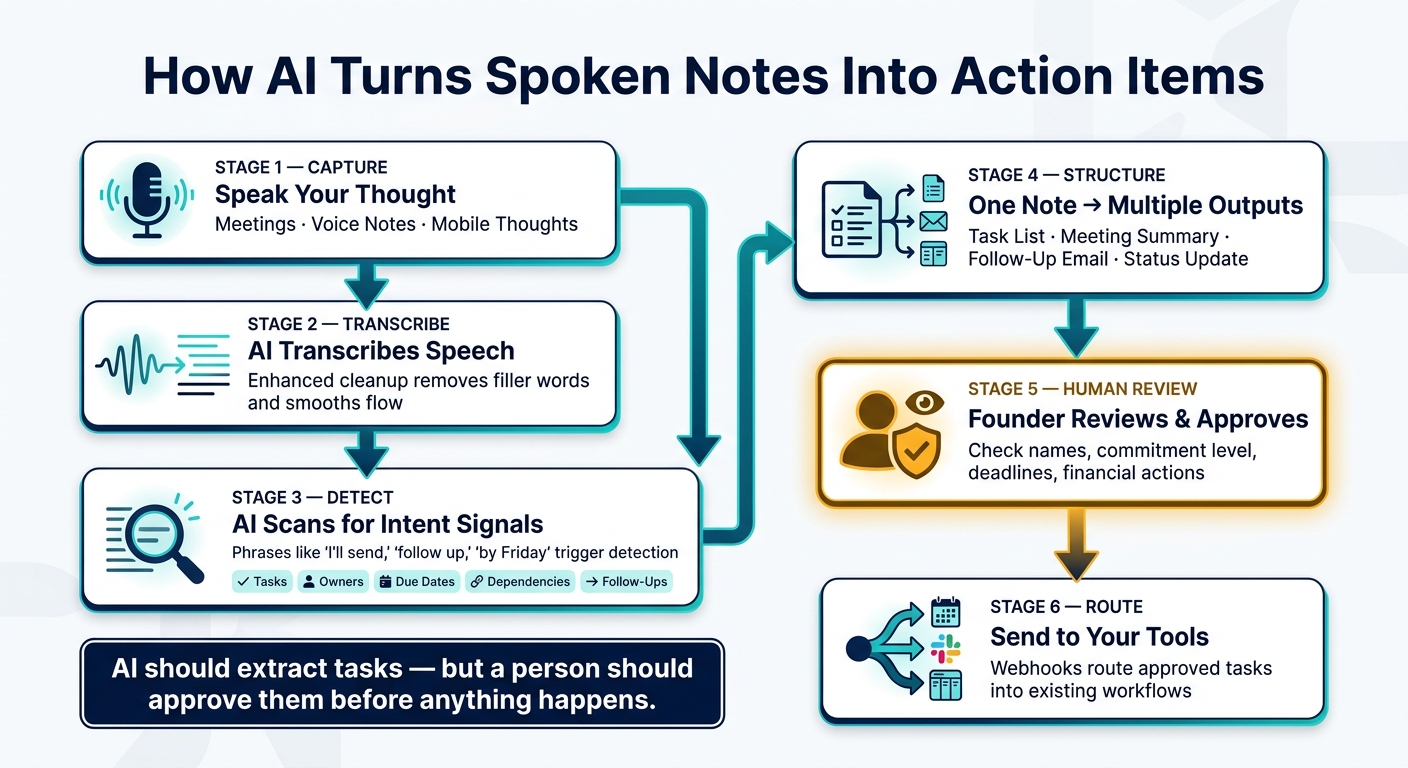
One line matters most: AI should extract tasks, but a person should approve them before anything happens.
The article then walks through how detection works, what improves transcript quality, how one spoken note can turn into several outputs, and where founders should keep a manual check in the flow.
AI Action Item Detection Workflow for Founders
Top AI Agents for Meetings: How to Turn Every Call into Action Items ✅ | ClickUp
sbb-itb-b6fe06e
How AI Detects Tasks, Owners, Due Dates, and Follow-Ups
Once speech is transcribed, AI scans the transcript for tasks, owners, dates, and follow-ups. Then it pulls out the next steps.
How AI Pulls Tasks from Transcript Language
AI finds action items by looking for intent signals: words and phrases that show a request or a commitment, not just a passing thought. Phrases like "I'll send," "follow up," and "remind me" tell the model that someone plans to do something. That’s different from a loose idea or something still being talked through.
Put simply, action-focused language turns into suggested tasks. Vague language usually stays a suggestion.
How AI Assigns Owners and Deadlines
When a name shows up near an action verb, AI links that person to the task. "Sarah, please review the deck by Tuesday" gives the system a clear owner, task, and deadline. Pronouns can work too, but only if the reference is clear from the surrounding context. In group meetings, speaker labels and attendee lists help the system assign the task to the right person.
Deadlines can show up as exact dates or relative timeframes. AI can spot wording like "July 22, 2026," "by Friday," "next week," or "3:00 PM" and interpret it based on the recording date. The more specific the wording, the more accurate the task tends to be later.
How AI Flags Follow-Ups and Dependencies
Not every action item stands on its own. Some only make sense after something else happens first. AI can catch that dependency when the wording is clear in the conversation. Phrases like "revisit after the pilot wraps" or "send the proposal once budget is approved" show that the task depends on another step. So the system can mark it as a dependency or blocker instead of an immediate to-do.
Follow-ups are handled in a similar way. "Circle back with the team next week" reads like a follow-up, not a main task. That helps founders see what needs action now and what should wait.
The clearer the recording, the more reliably AI picks up each task signal.
How to Capture Spoken Input So Detection Works Well
Capture quality shapes whether AI can pull out clean tasks, owners, dates, and follow-ups.
Meetings, Voice Notes, and In-Between Thoughts
Founders usually capture spoken input in three ways: meeting summaries, quick voice notes, and random thoughts that pop up during walks or short breaks.
At this stage, you don't need perfect structure. Rough notes are fine if they hold onto the main idea. You can add names, owners, and deadlines later during review.
What Improves Transcription Quality
The biggest factor is simple: speak clearly.
When you say who should do what and by when, the AI has a much easier job turning your words into an action item. A few other habits help too:
- Cut background noise when you can
- Stay close to the microphone
- Avoid talking over other people in group calls
- If your tool allows it, choose Enhanced cleanup instead of plain transcription
Enhanced cleanup removes filler words, smooths out sentence flow, and keeps the meaning intact.
Clear capture gives the model better signals for tasks, owners, and dates.
Where OneKey Fits in a Founder Capture Workflow
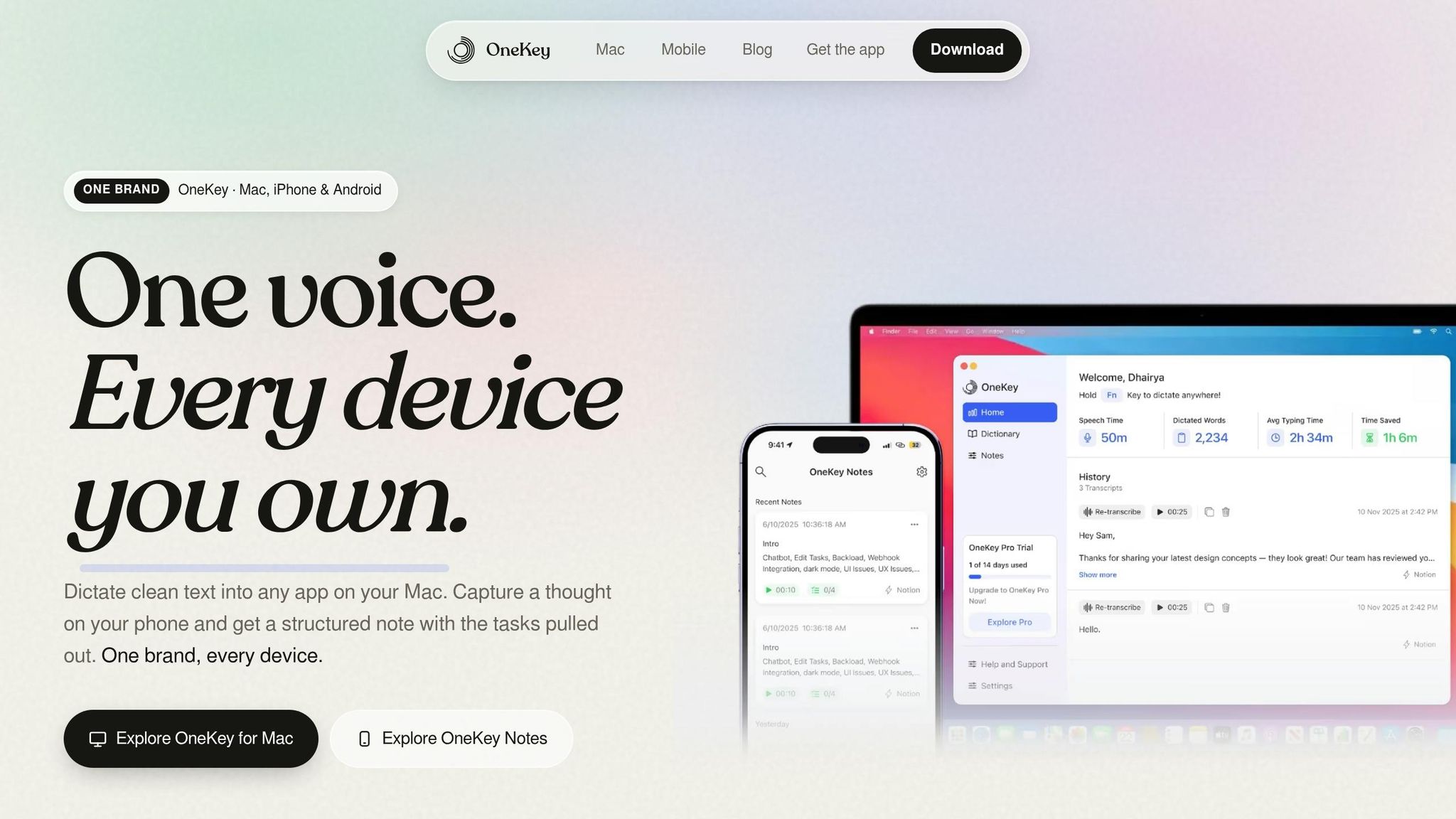
OneKey lets founders speak thoughts in any language on mobile or Mac, then turn those notes into structured output for review or routing into tools they already use.
Once the note is captured, the next step is turning it into tasks, summaries, and follow-ups.
How Founders Turn One Spoken Note Into Next Steps
From Raw Thought to Structured Task List
A single voice note can go in five directions at once. That's normal. Founders often talk through a product idea, a promise to a customer, a question for the engineering lead, and a rough deadline all in the same two-minute note.
AI helps sort that out. It reads the transcript and turns the note into a short, scannable task list. What starts as a rough brain dump becomes a set of next steps with a clear action tied to each one.
OneKey's Suggested Tasks feature pulls out action items from voice notes and flags the ones that need attention first.
Creating Summaries, Emails, and Updates from the Same Note
The same transcript can do more than one job. Instead of rewriting the note again and again, founders can use one spoken capture to make several outputs.
That same note can turn into a meeting summary, a follow-up email, or an internal status update, with each one shaped for a different use. OneKey processes a single note as a raw transcript, cleaned version, or summary. Custom templates can push this even further by turning the same spoken note into repeat-use formats on their own.
So one captured note can become a summary, a follow-up email, or a status update without having to write it three separate times.
Reviewing and Routing Action Items Into Your Existing Tools
Before sending anything into your workflow, review the extracted items once. AI is good at pulling order from spoken notes, but it can't always tell whether a budget comment was a loose idea or an actual commitment.
That's why financial or contract-related actions need a quick check. Scan the suggested tasks, confirm the owner and deadline, and fix anything that doesn't match what you meant.
After that review, OneKey can send structured note data through webhooks into your team's tools.
Limits, Guardrails, and a Simple Founder Playbook
What AI Gets Right and Where You Still Need to Check
Once AI pulls out tasks, owners, and deadlines, do a fast human review before anything moves forward.
AI is good at cleanup and structure. It’s less steady when the intent is fuzzy.
The main danger isn’t that AI will miss a task. It’s that it may send the wrong task into motion.
Here’s what founders should check before routing anything into execution:
| Element | Needs human review |
|---|---|
| Names & pronouns | High risk with unusual names or vague "he/they" references. |
| Commitment level | Must tell the difference between loose ideas and firm commitments. |
| Deadlines & timing | Needs a check for relative timing like "next Tuesday." |
| Financial or external actions | Always needs explicit confirmation before execution. |
Never let AI carry out high-stakes actions without human approval.
"Use a quote-check-confirm-act flow. Do not let extraction and execution happen in one step."
Privacy, Consent, and Handling Meeting Data
Before any note leaves the capture flow, get consent and keep a review step in place.
If you’re recording a meeting, tell everyone in the room before you start. If sensitive items come up, keep a human review step before tasks move into internal tools.
Conclusion: A Simple Workflow for Never Losing the Next Step
Capture thoughts as they happen. Let AI pull out tasks, owners, and deadlines. Review anything unclear. Then send the approved output into your tools.
FAQs
How accurate is AI action item detection?
AI action item detection turns messy, back-and-forth speech into clear tasks. It strips out filler words, smooths awkward phrasing, and sorts ideas into a cleaner structure while keeping the original intent and tone in place.
In tools like OneKey, this goes past basic transcription. Instead of giving you a wall of text, it produces clear next steps like task lists or automated follow-ups. That means less manual note-taking, less time spent on documentation, and a much easier path from conversation to action.
What should I say out loud for better task extraction?
Speak naturally. Don’t worry about structure or filler words. Just be clear about who owns the task and when it’s due.
The AI can sort through messy ideas, cut extra language, and turn quick voice notes into clear next steps. With OneKey, it works through raw speech while keeping your original tone intact.
When should a founder manually review AI-detected tasks?
Founders should manually review AI-flagged tasks during critical operations and before locking in high-stakes decisions, especially when money is involved or when the action creates an external commitment.
Check AI output before execution every time it can trigger an automated workflow or move funds. Before final approval, confirm the intent, the recipient, the amount, and the on-device details.